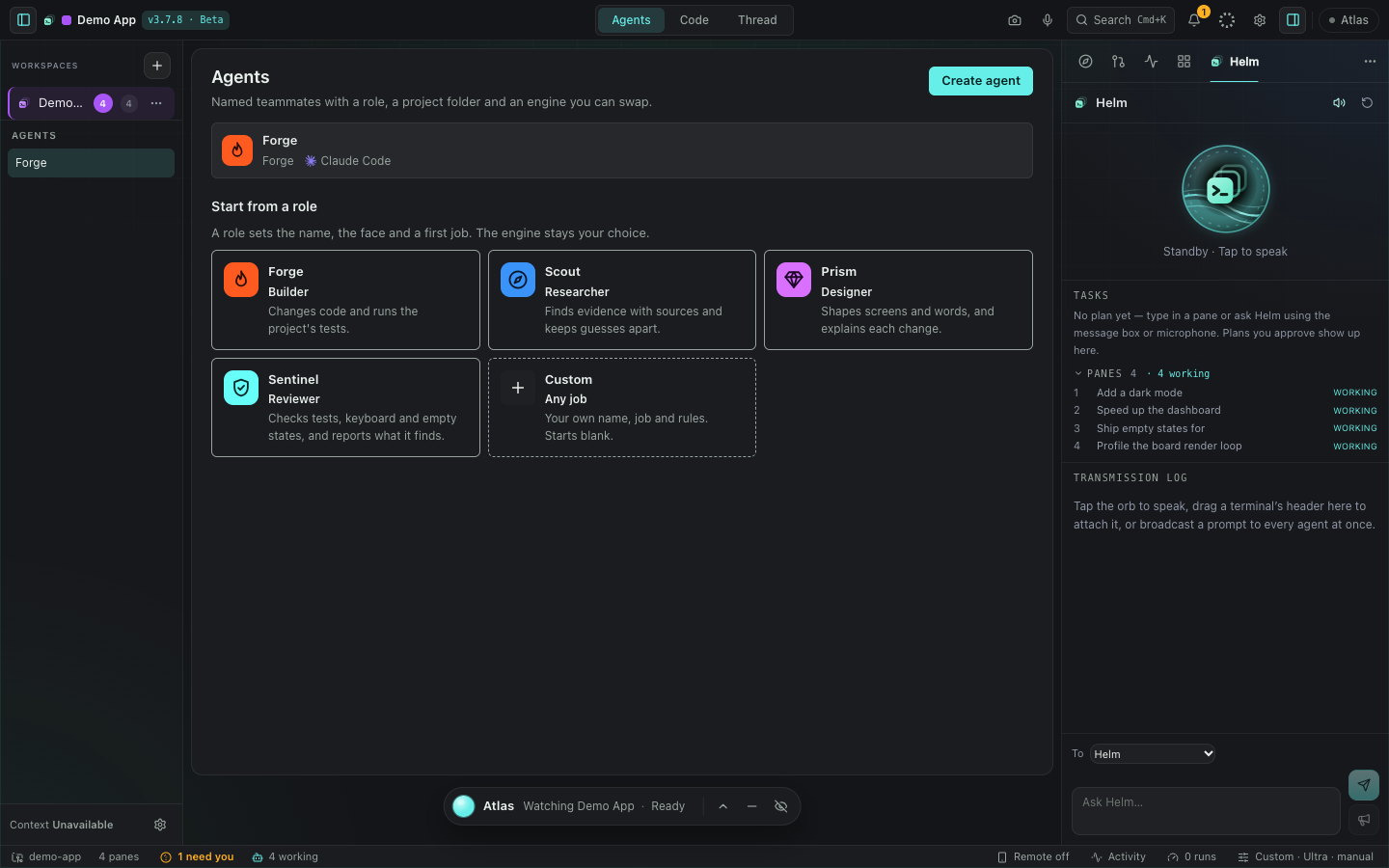
Give every agent a place.
Keep a roster for each project, with a name, role and saved instructions. Open an agent’s work without searching through terminal tabs.
 DeckSpace
A new home for your agents, live terminals and saved conversations. Try a different view of your work, and return to Classic whenever you want.
Part of the regular DeckSpace update. Updating never switches you into Studio automatically.
Keep a roster for each project, with a name, role and saved instructions. Open an agent’s work without searching through terminal tabs.
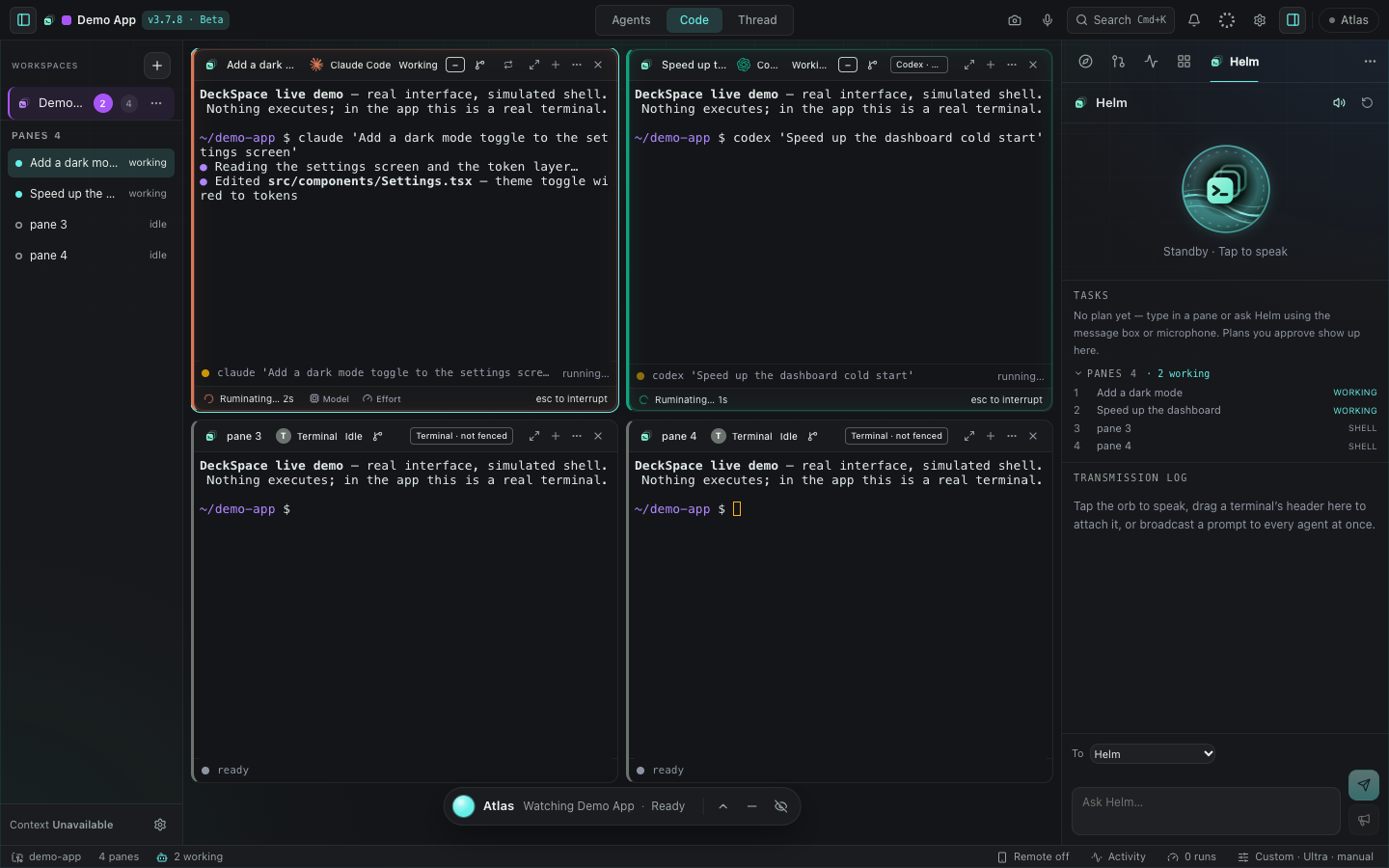
Arrange live terminal panes to suit the task. Keep files, the browser, activity and your board within reach, then tuck them away when you want more space.
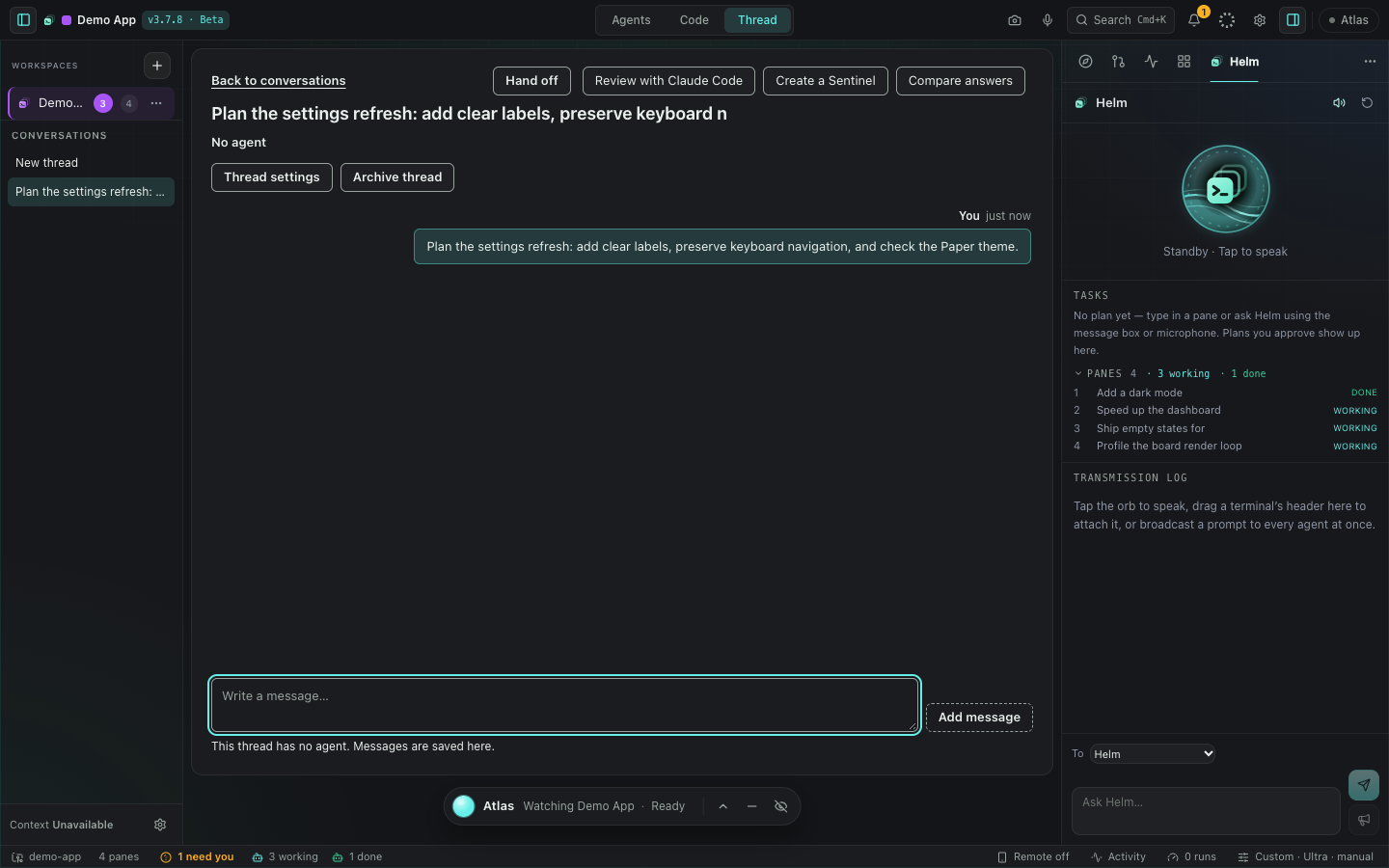
Return to saved messages, name a thread so it is easy to find, and archive it when the work is done. Restore it whenever you need the history.
You choose the interface. Switching between Studio and Classic keeps your workspace, panes and theme.
See how to return to Classic →No. Studio beta is an optional interface in DeckSpace 3.7.8. Your existing DeckSpace license applies.
No. Updating never switches you into Studio automatically. Classic is the default for new installations, and an existing Studio choice is kept. Choose Studio beta from the welcome offer or from Settings → Appearance → Interface.
No. It changes the interface inside the same app. Your installed DeckSpace version stays the same. The guide explains both the interface choice and what to do if you need installation help.
Email info@deckspace.dev with your operating system, DeckSpace version, what you tried and what happened. Remove private code, account details and keys from any screenshot.